See what every coding agent is doing.
Type /myoffice. Every Claude Code, Codex, Gemini, Copilot and OMP session on your machine walks into a live little office: thinking, running tools, waiting for you, or done.
Node.js 18+ · no npm install · no API keys · macOS, Linux and Windows
 Claude Code
 Codex
Codex
 Gemini CLI
 Copilot CLI
 OMP
OMP
 Kimi Code
 DeepSeek Harness
 Grok Build
Know who's working, and who's waiting on you.
Each session turns its latest log event into a status, updated live over Server-Sent Events.
Bash: npm testA dashboard you'll actually leave open.
A live office
A hand-drawn 2D canvas or a 3D office with real-time light and shadows. Working agents sit at desks; finished ones grab coffee, nap or play ping-pong.
Needs you, first
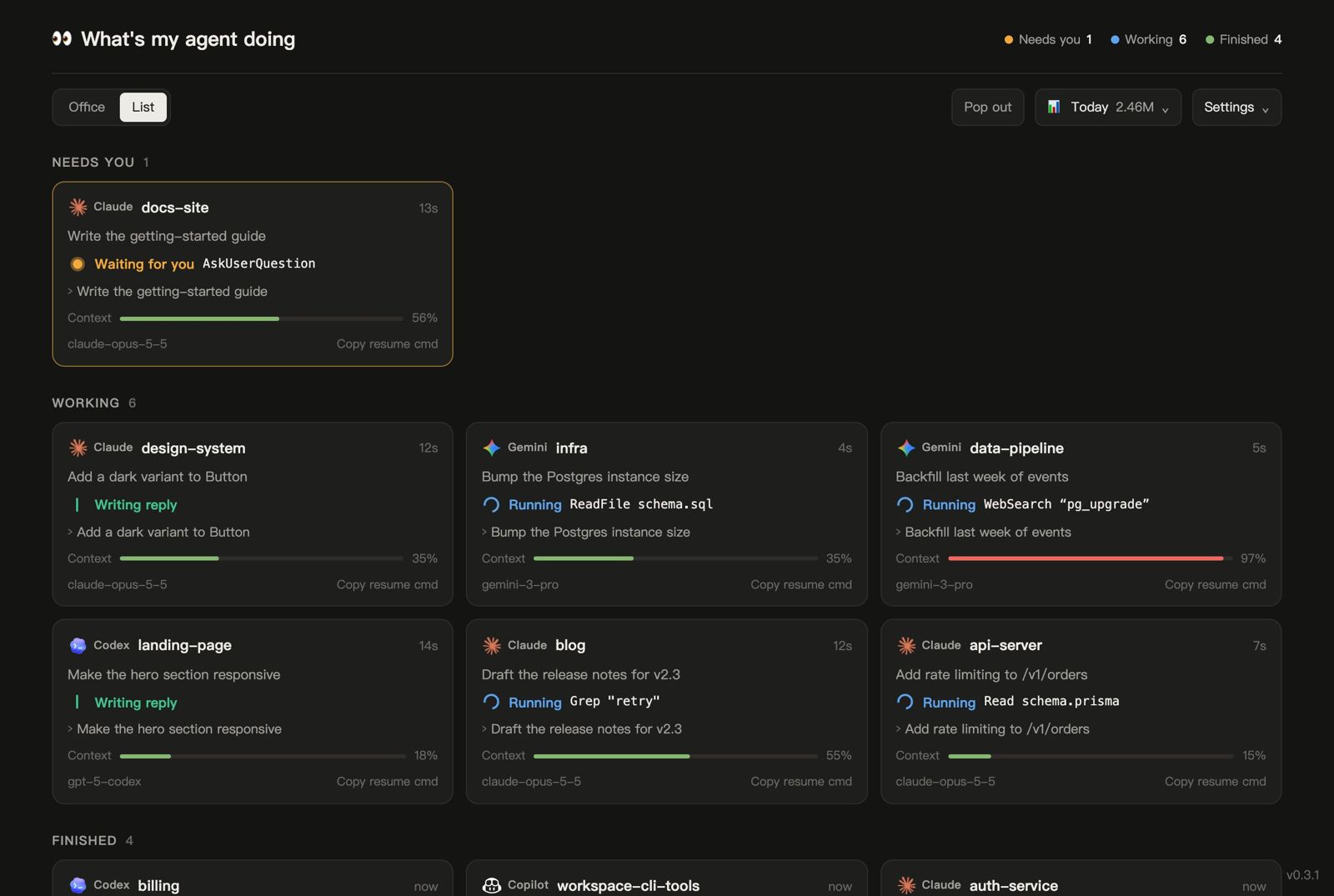
Sessions sort into Needs you → Working → Finished, with browser notifications and an optional chime.
Approval prompts
An optional Claude Code hook shows permission prompts as “Waiting for you” instead of “Running”. --install-hook
Today at a glance
Turns, tokens and your busiest projects today, plus a context-window bar on every card.
Stuck detection
A tool or a thought that goes silent for too long gets flagged before you waste an hour waiting on it.
Pop it out
An always-on-top picture-in-picture window of the office or the list, synced with the main tab.
Private by design
Read-only, bound to 127.0.0.1, nothing leaves your machine. --private hides prompts for screen sharing.
Speaks your language
Nine languages, picked from the language you write your prompts in.
Prefer plain cards?
Switch to the list: grouped by what needs you, with a live turn timer and the agent's latest prompt and reply.
- One-click copy of the resume command for each session
- Filter by agent, show or hide subagents and idle sessions
- The tab title counts working agents, so you can watch from another tab
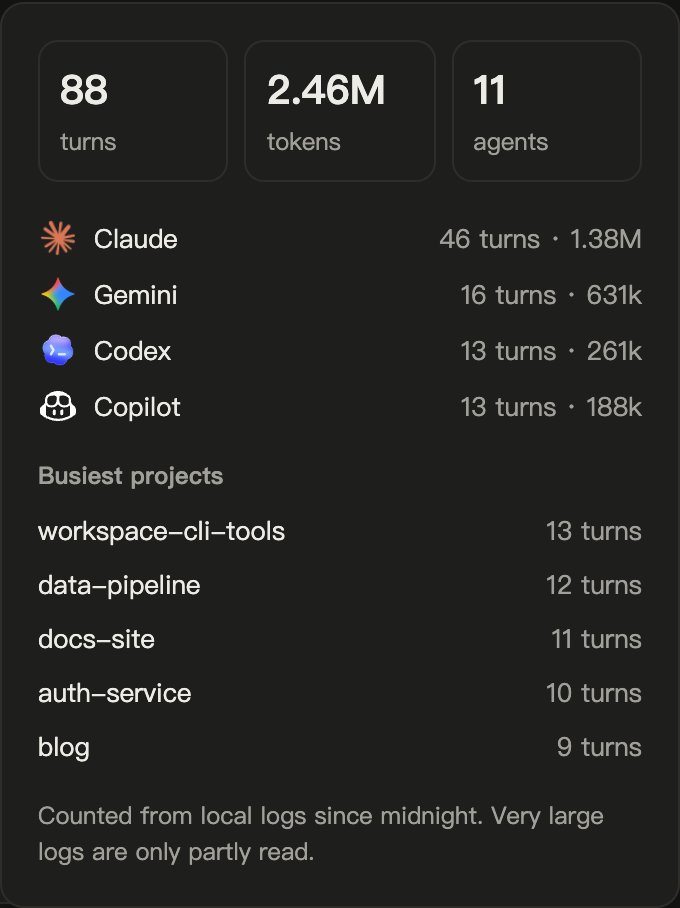
How much did the team do today?
The Today panel adds up turns and tokens from Claude and Codex usage records since midnight, by agent and by project.
- Context bars turn amber at 60% and red at 85%, before a compaction surprises you
- Counted from your local logs only: nothing is sent anywhere
Move the team somewhere fun.
The office is built in. Other 3D scenes are 100–230 KB packs, downloaded only when you pick one and checked against a pinned SHA-256.
No hooks required. No config. No keys.
Your agents already write every message and tool call to disk. whatsmyagentdoing just reads along.
Tail the logs
Session logs under ~/.claude, ~/.codex, ~/.gemini and friends are read incrementally, never written.
Turn events into states
The latest event becomes Thinking, Running, Waiting or Done. Large logs read only their head and tail.
Stream to your browser
A tiny local server pushes snapshots over Server-Sent Events to the page. That's the whole stack.
Nothing leaves your machine. The server binds to 127.0.0.1 and rejects requests not addressed to localhost. The only network call is an optional version check, which you can turn off with WMAD_NO_UPDATE_CHECK=1.
Questions
Does it slow my agents down or change anything?
No. It only reads log files. The optional approval hook writes one tiny marker file per permission prompt into ~/.whatsmyagentdoing and nothing else.
Why does Claude Code show “Running” while it waits for my approval?
Claude Code doesn't log permission prompts. Run node bin/cli.js --install-hook once to add an optional Notification hook, and they'll show as “Waiting for you”. --uninstall-hook removes it.
How do I update?
The page tells you when a new version is out. Click Update, run /myoffice update, or git pull in the skill folder.
Can I share my screen with it open?
Yes. Start it with --private to hide prompts, replies and titles and show status only.
My agent isn't listed. Can it be supported?
If it writes session logs to disk, probably. Open an issue with the log location and a short sample with the content removed.